
Download Autorun USB Helper – Free USB Flash Drive Protection Tool for Windows & Mac
In today’s digital world, USB drives remain one of the most convenient ways to transfer files between devices. However, their widespread use also brings significant security risks—especially when it comes to autorun malware and unauthorized program execution. Autorun USB Helper is a lightweight, secure, and intelligent utility designed to help users regain control over USB drive autorun functionality while protecting their systems from potential threats. This powerful tool monitors all connected USB devices in real-time, automatically detecting and blocking malicious autorun attempts. Whether you're a home user, student, or professional, this software ensures your data remains safe while restoring essential functionality that many modern systems have disabled for security reasons.
Key Features of Autorun USB Helper
What sets Autorun USB Helper apart from other USB security tools is its intelligent balance between usability and protection. The software doesn’t just block autorun—it intelligently manages it based on your preferences and device history. Here are the standout features that make this tool a must-have for anyone who frequently uses USB drives:
- Automatic Autorun Reactivation: Restores the ability to use autorun on USB drives that have been disabled by default in Windows or Mac systems.
- Real-Time Threat Detection: Monitors all connected USB devices and immediately blocks suspicious autorun scripts, preventing malware from launching automatically.
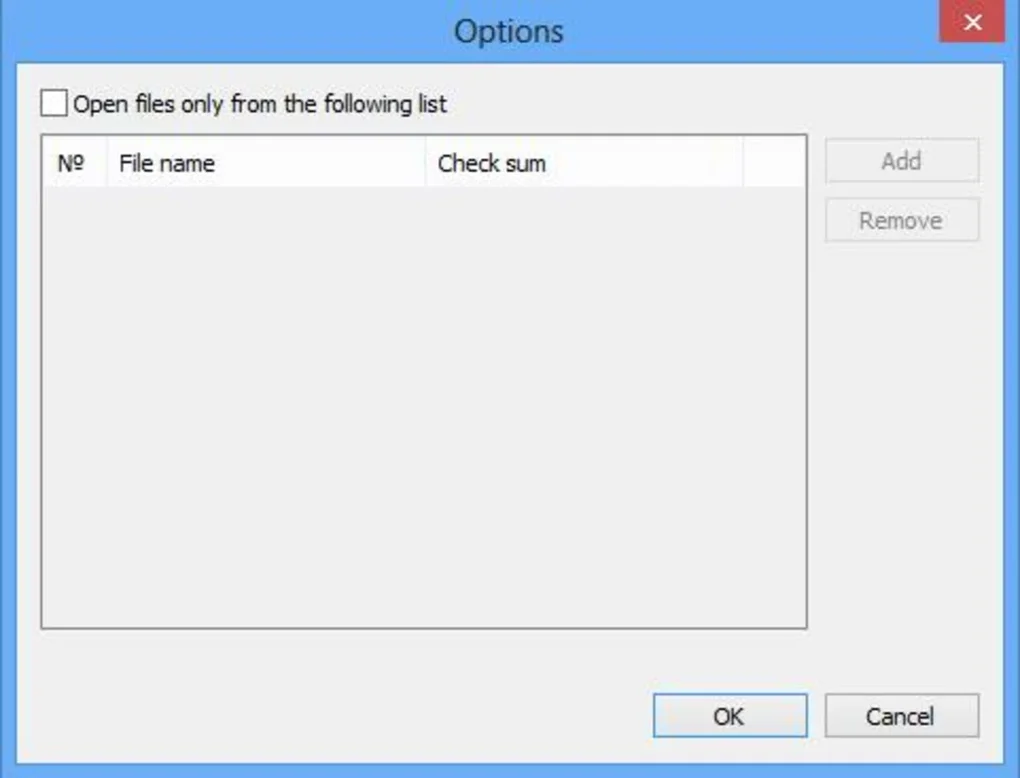
- Customizable Whitelist: Users can create a trusted list of approved programs or drives, allowing safe autorun execution only for known, secure sources.
- Background Operation: Runs silently in the background without consuming excessive system resources or interrupting your workflow.
- Multi-Platform Support: Compatible with both Windows 10/11 and macOS, ensuring consistent protection across devices.
- One-Click Enable/Disable: Simple interface allows users to toggle autorun functionality on or off instantly.
- Automatic Updates: The software regularly checks for updates to improve detection algorithms and maintain compatibility with new USB threats.
Installation & Usage Instructions
Installing Autorun USB Helper is a quick and straightforward process, suitable even for users with minimal technical experience. Begin by downloading the latest version from the official website—available as a free download for both Windows and Mac users. Once downloaded, run the installer file and follow the on-screen prompts. The setup wizard guides you through the process in under a minute, with no complex configurations required.
After installation, the application launches automatically and begins monitoring all USB ports. You’ll notice a small icon in your system tray (Windows) or menu bar (Mac), indicating that the tool is active. To customize settings, simply click the icon and access the preferences panel. Here, you can define trusted drives, manage the whitelist, and adjust the sensitivity of threat detection.
For first-time users, we recommend enabling the default settings and allowing the software to analyze your USB usage patterns over a few days. This helps it build a smart profile of safe devices. If a suspicious autorun attempt is detected, a pop-up alert will notify you before any action is taken. You can then choose to block the program or allow it if you’re confident it’s safe. The tool also logs all activity, which can be reviewed in the history section for auditing purposes.
Compatibility & System Requirements
Autorun USB Helper is engineered to work seamlessly across multiple operating systems, making it an ideal choice for users who switch between different devices. It supports Windows 7, 8, 10, and 11 (32-bit and 64-bit), as well as macOS 10.14 (Mojave) and later. The software is lightweight, requiring only 50 MB of disk space and minimal RAM usage, ensuring it won’t slow down your system.
For optimal performance, ensure your device has a USB 2.0 or higher port. The tool works with all standard USB flash drives, external hard drives, and even some USB-powered peripherals. It does not require admin rights for basic operation, though elevated permissions may be needed for full system integration, such as modifying registry entries on Windows.
One of the biggest advantages of this software is its compatibility with modern security standards. It respects UAC (User Account Control) on Windows and Gatekeeper on Mac, ensuring that no unauthorized changes are made to your system. Additionally, the tool is regularly updated to maintain compatibility with new OS versions and emerging threats, so you can trust it to stay effective over time.
Pros and Cons
Pros
- Restores lost autorun functionality on modern systems where it’s disabled by default.
- Strong malware protection through real-time monitoring and automatic blocking.
- Simple, intuitive interface suitable for beginners and advanced users alike.
- Customizable whitelist for trusted devices and programs.
- Free to download and use with no hidden costs or ads.
- Lightweight and efficient—minimal impact on system performance.
- Regular updates to enhance security and compatibility.
Cons
- Some users may find the default settings too strict, requiring manual adjustments.
- Does not support older operating systems like Windows XP or macOS High Sierra.
- Advanced features require basic understanding of USB security concepts.
- Occasional false positives when scanning unknown drives.
Frequently Asked Questions (FAQ)
Is Autorun USB Helper free to download?
Yes, Autorun USB Helper is completely free to download and use. There are no trial limitations or hidden subscription fees. The software is available for both Windows and Mac users without any cost.
Can I use Autorun USB Helper on my Mac?
Absolutely. The software supports macOS 10.14 (Mojave) and later versions, including Apple Silicon (M1/M2) Macs. It integrates smoothly with Gatekeeper and provides the same level of protection as on Windows.
Does Autorun USB Helper slow down my computer?
No, it’s designed to be lightweight and efficient. The tool runs in the background with minimal CPU and memory usage, ensuring your system remains responsive even during heavy USB activity.
Can I allow autorun for specific USB drives?
Yes, you can create a whitelist of trusted drives or programs. Once added, autorun will be enabled only for those approved devices, giving you full control over what runs automatically.
How often does the software update?
Autorun USB Helper checks for updates automatically every 7 days. You can also manually trigger a check in the settings menu. Updates include improved threat detection and compatibility fixes.
Conclusion & Call to Action
With cyber threats evolving rapidly, protecting your system from USB-based attacks is no longer optional—it’s essential. Autorun USB Helper delivers a smart, secure, and user-friendly solution that restores lost functionality while actively defending against malware. Whether you’re transferring important documents, presenting on a USB drive, or simply sharing files, this tool ensures peace of mind.
Its combination of real-time monitoring, customizable whitelisting, and cross-platform support makes it one of the best free USB security tools available today. Best of all, it’s free to download, lightweight, and easy to use—no technical expertise required.
Download Autorun USB Helper now and take control of your USB experience. Protect your system, restore autorun, and enjoy secure file transfers with confidence.







